

SenseAnywhere Ireland

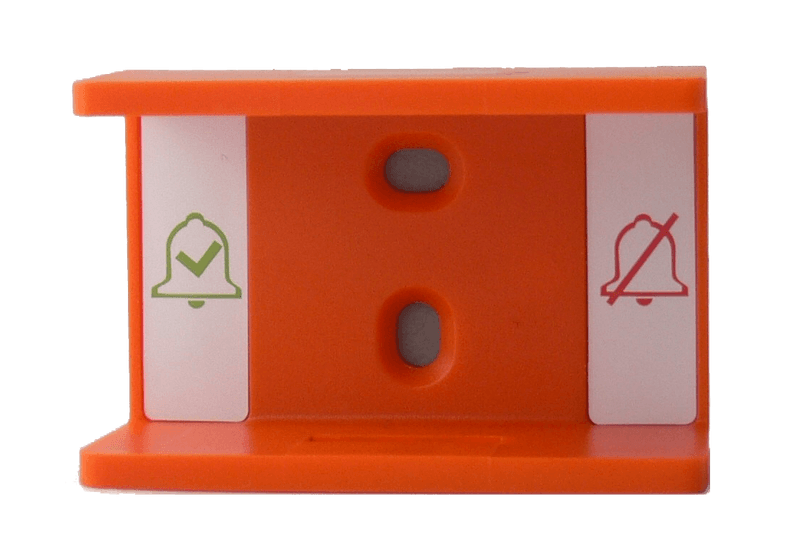
SwitchHolder

SwitchHolder Transparant

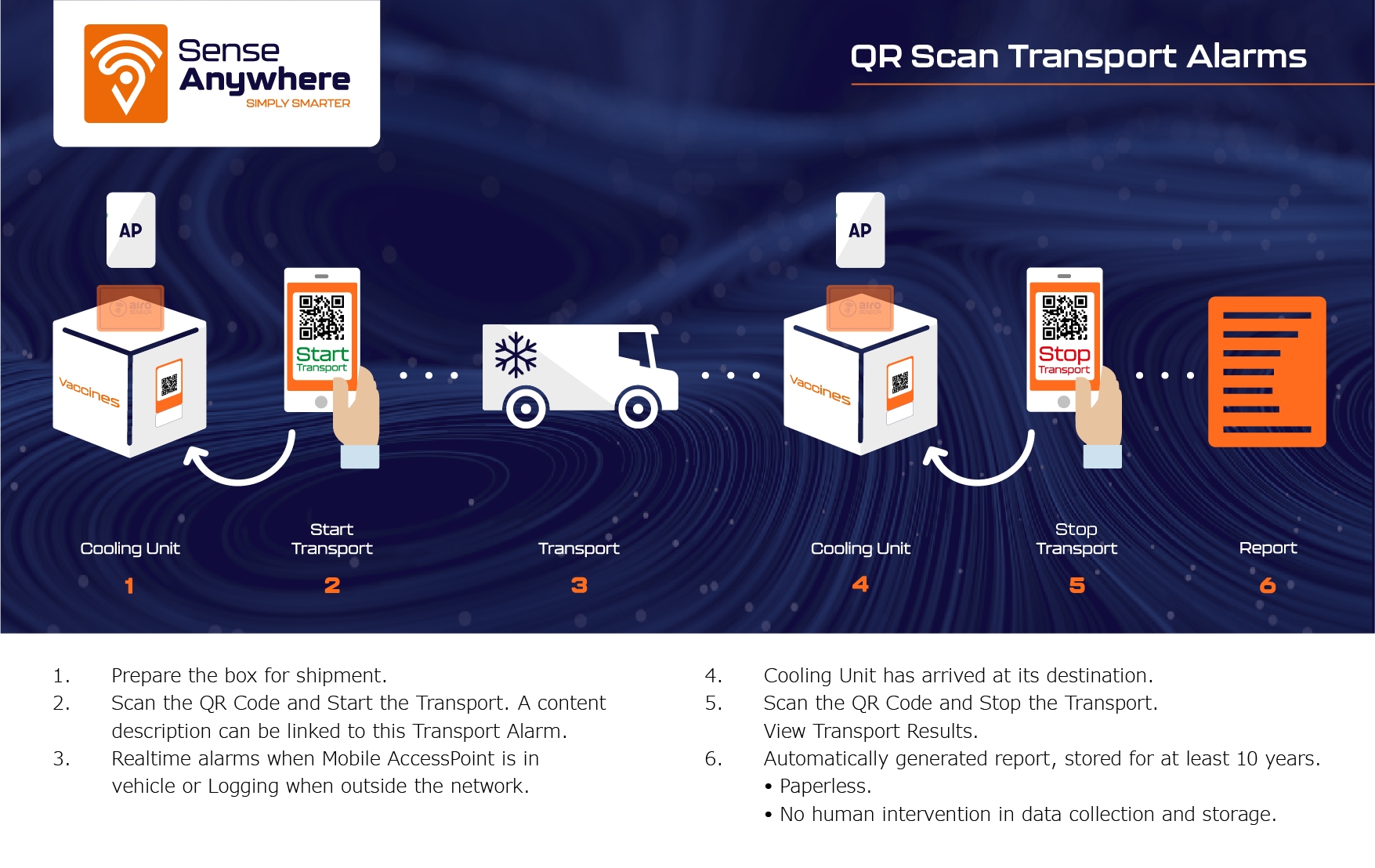
Instruction Image TA With Text 1

Generate Transport Alarms with the SenseAnywhere SwitchHolder.

Find reseller

The SwitchHolder enables users to activate and deactivate pre-set alarms by sliding movement. An AiroSensor is placed in the accessory, after which the pre-set alarm is activated by sliding the data logger to “on” and disabled by sliding it to “off”. The SwitchHolder is ideal for environments where cooling systems are not operational during specific times, such as weekends. Please note: The sliding motion disables or enables the alarm function. The data logger itself keeps monitoring temperatures, so you will never lose any data even if you forget to switch on the alarm.

Alarms

Generate transport alarms

Distribution

Cold chain distribution

Monitoring

Real-time monitoring

Installation

Easy installation with ‘On’ and ‘off’ switch
SenseAnywhere free 7 day trial

Questions & answers

Frequently asked questions

An AiroSensor is placed in the holder and slid to the on position to activate its preset alarm. Sliding it to off disables that alarm function. The accessory is intended to make alarm control straightforward without stopping the logger's temperature recording.

No. The page explicitly states that the logger keeps monitoring temperatures even when the alarm is disabled. This distinction matters: stored measurement data can continue while warnings are not active. Staff should check the required alarm state as part of their workflow.

The product page gives weekends as an example of times when a cooling system may not operate. The holder lets users enable or disable preset alarms by sliding the logger. The correct alarm policy should be established for the goods and operating schedule involved.

The page presents the accessory for cold-chain distribution, and the accessory overview specifically mentions medical samples. It supports transport-alarm control with a compatible AiroSensor. Confirm the equipment and procedures required for your sample transport process.

The page describes activating and deactivating preset alarms, not choosing safe thresholds for a product. Suitable profiles must therefore be established in the monitoring system. The holder provides physical control over those alarms within the intended workflow.

The page explains that temperature monitoring continues even if the user forgets to enable the alarm. That preserves the measurement record, but it does not mean an inactive alarm will warn staff. Check alarm activation when beginning the relevant monitoring or transport activity.

A sliding movement of the AiroSensor in the accessory selects on or off. The page describes this as easy installation and straightforward alarm control. It distinguishes the physical alarm switch from the logger's ongoing measurement operation.

Yes. The SwitchHolder page lists real-time monitoring alongside transport alarms and cold-chain distribution. Online visibility still depends on the logger and the complete system's connectivity. The accessory itself is not an independent internet-connected data logger.

The product page includes an instruction image below the explanation of sliding the logger to on or off. This supplements the description of alarm control and continuous measurements. Request equipment-specific training if staff need a formal operating procedure.

Agree the preset alarm profiles, when staff should enable or disable them, and who responds to notifications. Check compatibility with the selected AiroSensor. The holder simplifies alarm switching, but a clear transport procedure is still needed to use that feature consistently.